
Optimising campaign performance with AI-driven insights in Google Ads
By the Google Shopping (CSS) Team | Expertise series [January 2026]
For modern advertisers there’s no ‘next big thing’ to catch up on. Instead, there’s an endless acceleration of progress to keep pace with. It’s exciting, but it can also be demanding.
For many, especially those leveraging Shopping Ads and Performance Max (PMax) campaigns, success hinges on an agile, data-first approach rooted in learning from ongoing performance. We're facing an "explosion of data" where the sheer volume makes pulling truly actionable insights a persistent challenge. To maintain market leadership and outpace data-driven competitors, retailers must move not just quickly, but strategically.
The good news? AI offers a path to sustainable success. With more and more digital advertising tools keeping AI at their centre, managing the massive data influx generated by multi-channel consumer journeys is becoming easier. In Google Ads, this means AI-powered insights and reporting capabilities that cut through the complexity of huge datasets, empowering marketers to quickly process performance data, set informed benchmarks, and drive significant campaign optimisation for scalable growth.
Three pillars of AI-driven Performance in Google Ads
Recently incorporated into Google Ads, these AI reporting features work together to create a cohesive, end-to-end data-driven strategy for advertisers:
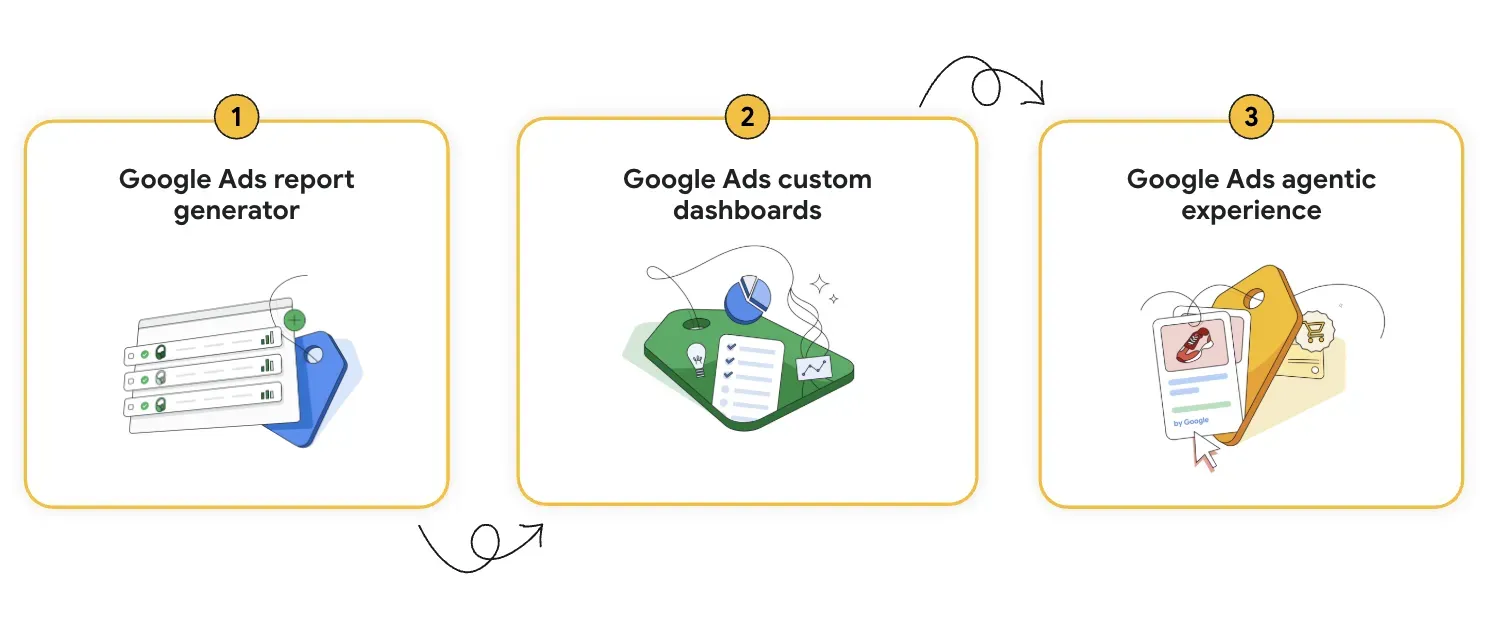
- Report Generator is the foundation, translating complex questions into raw, targeted data.
- Custom Dashboards provide context by consolidating that data into a single, comprehensive view.
- Agentic Experience turns those insights into autonomous action, completing the feedback loop by suggesting and executing optimisations directly.
What you need to do
We recommend that retailers prioritise the Report Generator first. It provides the most immediate impact by harnessing Google's AI to simplify data analysis in Google Ads. This is the key: you no longer need to be a data scientist or require technical data-crunching skills. You can now access and analyse your crucial campaign data (Shopping Ads and PMax) with a single, clear prompt using conversational language – allowing anyone in the team to make use of this feature. This eliminates the manual effort of building complex reports, letting you ask Google Ads direct questions in everyday language and instantly receive rich insights to inform your strategy.
Turning Natural Language into Data-Rich Reports
The AI-assisted Report Generator is accessible directly within Google Ads via the path: Campaigns > Insights and reports > Report editor.
Once inside the Report Editor, utilise the "Generate report" feature to streamline your workflow:
- Input a natural prompt: Simply describe your needs in plain English (e.g., "Show top selling products by category for the last 30 days").
- Generate instant insights: The AI translates your query into a sophisticated data table.
- Take action: Get immediate access to organised metrics (e.g. top products ranked by revenue), without manual construction.
Use case: from peak performance analysis to future strategy
This natural language approach is especially transformative when analysing post-peak performance, such as the critical weeks following the holiday season. Instead of manually cross-referencing pivot tables – which is, let’s face it, nobody’s favorite task – you can automatically execute a complex retrospective analysis through simple requests.
For example, say you want to immediately analyse which products or categories drove the highest profit margin during the last two months of the year, or identify which PMax Asset Groups had the highest Conversion Value per Impression on mobile devices during the 6 PM to 10 PM weekend window. This level of granularity, achieved through a simple prompt, allows you to rapidly understand winning combinations (product, platform, time, creative) and, crucially, identify and pause underperforming spend allocations before the new budget cycle begins. Best of all, it doesn’t take weeks of painstaking research.
A straightforward AI-generated output table can serve as a foundation for learnings and strategy creation. By quickly isolating top-performing product categories or regions, retailers are able to allocate next year's budget with confidence, ensuring future investments are placed directly against verified high-ROAS segments.
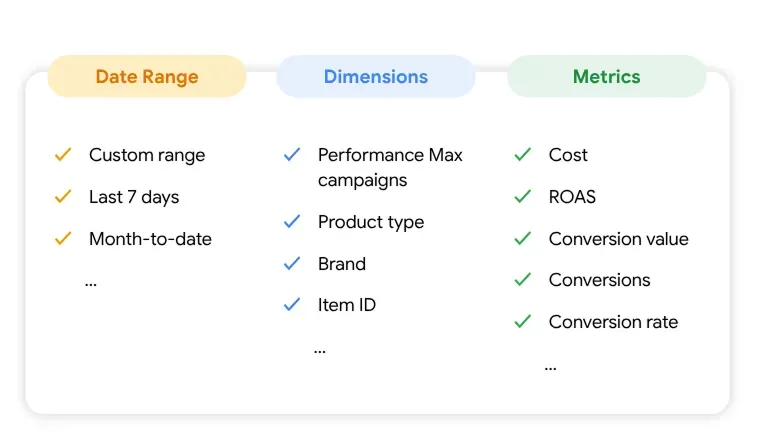
Key Tip: To get the most meaningful data, structure your prompts around three fundamental building blocks. This ensures the AI delivers targeted insights rather than broad summaries:
- Date Range: Establishes context (e.g., last 7 days vs. year-over-year).
- Dimensions: Segments data by key attributes (e.g., product categories or item IDs).
- Metrics: Defines the measurement for decision-making (e.g., ROAS or conversion rate).
High-Impact Prompt Examples:
- Tactical: "Which PMax campaigns had the highest conversion rates last month?"
- Diagnostic: "Show cost and conversions for item ID 123 in the last 7 days."
- Strategic: "What is the average ROAS for the 'Apparel' category this year?"
The power of consolidation: custom dashboards
While reports provide raw data, Google Ads custom dashboards deliver the context necessary for action. They allow you to consolidate diverse insights—such as Auction insights, Store visits, Shopping products performance data, and Cart items advertised—into a single, cohesive overview.
This "data proximity" allows you to:
- Connect the dots: Identify complex correlations between disparate metrics.
- Visualise impact: Understand how the full customer journey affects your bottom line.
- Streamline communication: Create a centralised view for efficient team reviews and stakeholder reporting.
Building your dashboard
Building a streamlined dashboard is simple:
- Save your favorite reports after generation using the "Save as" option.
- Access the dashboard functionality by navigating to Campaigns > Insights and reports > Dashboards.
- Add your saved reports to the new dashboard canvas.
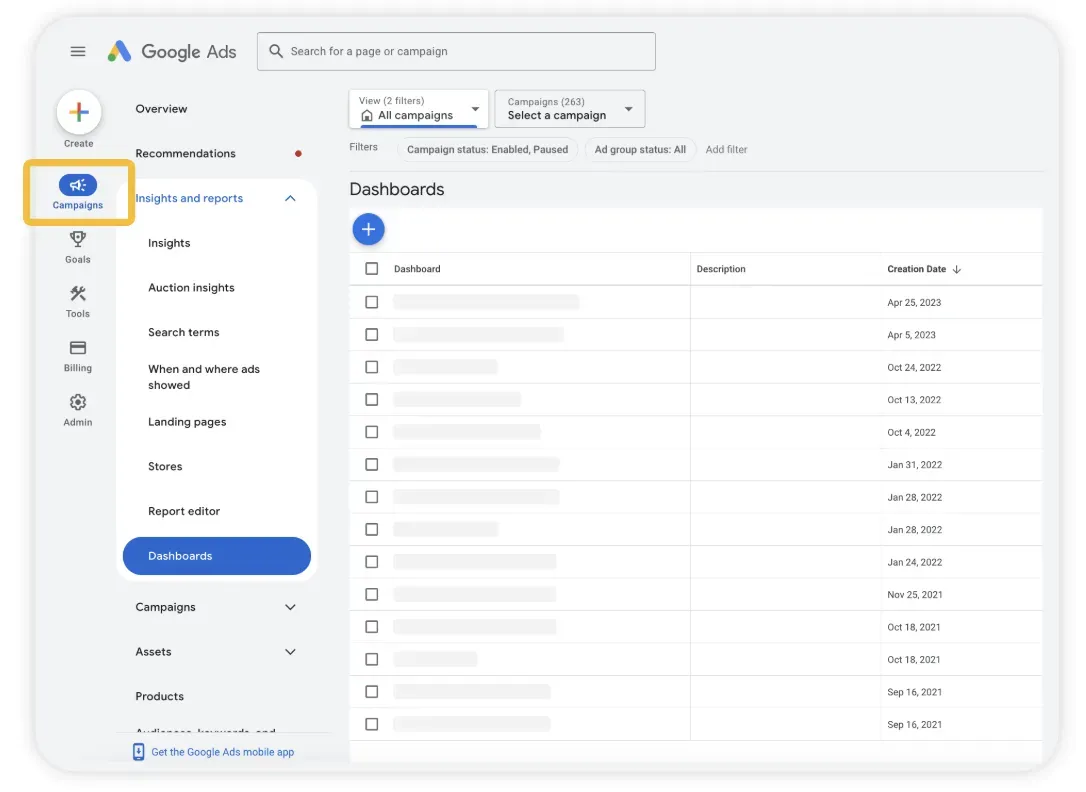
The true value of dashboards lies in their shareability: anyone within your organisation who holds a Google Ads account with read-only access can immediately view the dashboards you've created, fostering unified, data-informed decision-making across merchandising, marketing, and executive teams.
The Google Ads agentic experience: a smarter way to manage and optimize campaigns

Source: Accelerate with Google (2025), See what’s new in Google Ads
The Google Ads agentic experience (currently in beta) marks the evolution from simple assistance to truly supercharged campaign management.
Your Google Ads expert learns from your datasets, creatives, and real-time performance to deliver hyper-personalised recommendations that eliminate the guesswork in achieving your business goals. You can access the feature via the top-right menu, located next to ‘Notifications’.
Always on-hand, this technology empowers you to solve complex scenarios. See the two examples below, breaking down two types of assistance:
1. Budget allocation strategy: Ads Advisor continually analyses your portfolio to guide investment. For example, you could ask:
"Where will an extra £50/day yield the best returns without changing my tROAS?"
Google Ads agentic experience identifies budget-limited campaigns and recommends the optimal allocation to capture more conversions, alongside a clear, sharable rationale.
2. Proactive optimisation & asset creation The agent proactively identifies opportunities and can generate complete, themed ad groups (text, images, video) for one-click implementation. For example, you can ask:
"Which product categories will spike in demand this weekend, and which campaigns are best positioned to capitalise on them?"
Google Ads agentic experience will then synthesise campaign data with market trends to pinpoint the best strategy.
From keeping up, to leading the pack.
Wherever you’re heading, we hope this overview will help light the way. Used with confidence, the AI capabilities discussed really can drive your shift from time-consuming manual work to data aggregation to strategic, AI-informed decision-making in your Shopping and PMax campaigns in Google Ads. Soon, you’ll not only be keeping pace with the market, but actively driving superior results and maintaining competitive advantage.
Social Module